


Chess Universe: Play Online
4.73.82K Reviews
App Specs
- Version
- 1.27.6
- Updated On
- License
- Free
- Downloads
- 10,000,000+
- Developer
- Kings of Games!
- Categories
- Board
- Platform
- Android, iOS
Screenshots
 Analysis by AppCompare
My first week with Chess Universe: Play Online made a good case for keeping a chess app close at hand. I could get into a game without setting up a board, then switch to learning when I wanted something slower. The mix is appealing, though what matters after the initial curiosity wears off is whether those options fit into a routine rather than simply making a strong first impression.
A quick start that suits short sessions
For a new player, the useful thing about a digital chessboard is that it removes setup friction. I can open the game during a quiet break, make a few moves, or spend that time on a lesson instead. That flexibility is more valuable than a long list of modes: it gives me a way to choose between playing and studying according to how much attention I have available.
In a realistic everyday scenario, I might have ten minutes before heading out. A brief puzzle or a focused lesson makes more sense than starting a longer match I may have to abandon. When I have a calmer evening, online play with a friend is a better fit. Thinking about the time I actually have helps me get more from the app and avoid treating every visit as a full chess session.
What keeps the routine worthwhile
The strongest long-term reason to return is that playing and learning can support each other. A lesson gives me a point to watch for in my next game; a game, in turn, gives me a concrete position to think about afterward. Rather than trying to improve everything at once, I find it more useful to pick one recurring mistake and pay attention to it over several games.
Progress tools are most helpful when I use them with a question in mind. After a match, I might ask whether I overlooked a threat or moved too quickly, then look for that pattern the next time I play. A progress summary is not a substitute for patient study, but it can make review feel less vague. This deliberate loop—learn one idea, try it, then reflect—is a practical way to make short sessions add up.
That approach also helps answer whether the game is suitable for a beginner. The learning side gives a newcomer somewhere to start, while online opponents provide a reason to practice. I would still expect chess to feel challenging at first: lessons cannot remove the need to learn how pieces interact and to slow down before committing to a move. A new player who enjoys gradual improvement is likely to find that satisfying; someone looking for immediate wins may not.
Choosing it over a physical board or another chess app
Compared with a physical board, this is easier to use when I am alone, away from home, or trying to fit in a quick lesson. A real board is still the better choice when I want an unhurried face-to-face game, a screen-free evening, or the freedom to discuss a position together without dividing attention between a match and a device. They serve different moods, and I would not treat one as a complete replacement for the other.
Worth Reading Before You Choose

Flipboard Shows What News Apps Must Do Beyond the Feed

Switching to Android Auto Means Rethinking Your Driving Routine

Google Calendar Makes a Crowded Week Easier to Manage

Ludo King Makes the Most of the Minutes Between Plans

Baby Panda World Brings Quick Play to Modern Phones, but Its Game Library Feels Busy

ESPN’s Live Game View Makes Following Close Games Easier
Against a more stripped-down chess app, Chess Universe has a broader feel: online games sit alongside learning and community elements. That breadth is useful if I want one place for several kinds of chess activity, but it may be unnecessary if I only want a plain board for local play. Before settling into it, I would focus on the parts I genuinely use instead of feeling obliged to explore every section.
There is also a difference between playing a friend and playing a stranger. A friend match is a natural way to make chess social and gives both players a familiar reason to return. Online matchmaking is better when I want an opponent without arranging a time with someone I know. Neither option guarantees that every game will be equally enjoyable, so I would choose based on whether I want a relaxed shared activity or a more unpredictable test.
What to know before making it a habit
Chess itself asks for attention, and online play can make it easy to start another game before thinking about the previous one. My practical tip is to decide on a purpose before opening the app: play one match, work through a lesson, or study a puzzle. That small boundary makes a session feel complete and can keep casual play from turning into distracted tapping.
For an occasional player, there is no need to make a daily routine out of it. Returning when I have the patience to think is better than opening it automatically and rushing through moves. If I am tired, a lesson or a puzzle may be more satisfying than a competitive game; if I want to improve, reviewing a result is more useful than immediately queuing again.
The game is free to download and play, with optional in-app purchases ranging from $1.49 to $79.99 per item. I would treat those purchases as optional rather than a reason to commit: the basic appeal is the chance to play and learn, while anyone concerned about spending should check each purchase carefully before confirming it. Its Everyone age rating makes it broadly suitable, but parents should still consider whether online interaction is appropriate for the child using it.
Getting Started with Chess Universe
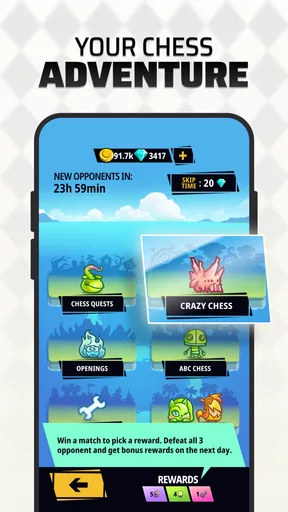
Right from the get-go, Chess Universe: Play Online impresses with its sleek and user-friendly interface. The download and installation process was a breeze, and I was up and running in no time. Upon opening the app, you're greeted with a clean dashboard that makes navigation intuitive. Whether you're looking to jump into a quick game or explore the app's many features, everything is just a tap away.
The app offers various modes, including online play, puzzles, and daily challenges. As someone who loves a good brain teaser, I was particularly drawn to the puzzle section. It's a fantastic way to improve your game by tackling different scenarios that test your strategic thinking.
Playing Online
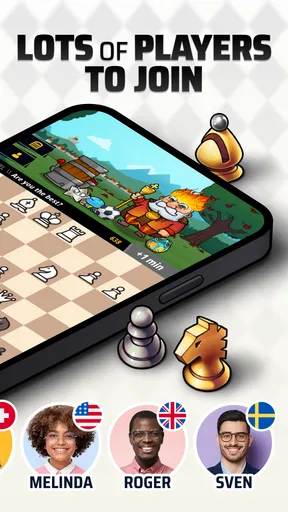
The heart of Chess Universe is its online play feature. You can challenge players from around the world, which is a great way to test your skills. I found the matchmaking to be quite efficient, pairing me with opponents of similar skill levels, ensuring that the matches were both competitive and enjoyable.
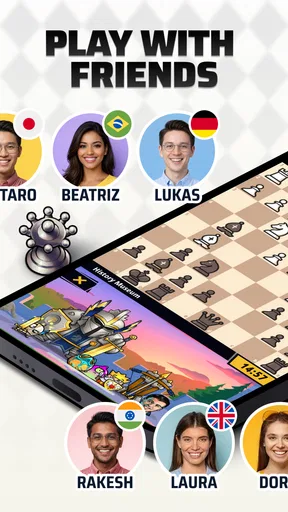
One thing I appreciated was the option to play with friends. You can easily invite friends to a match, making it a social experience. The chat feature is a nice touch, allowing for some friendly banter or strategic discussions during a game.
Learning and Improving
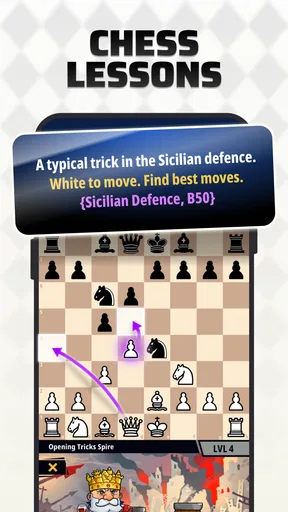
For those new to chess or looking to get better, the app offers a robust learning platform. The tutorials are comprehensive, covering everything from basic moves to advanced strategies. What I found particularly useful were the video lessons by experienced players. They offer insights that you might not come across in traditional books or tutorials.
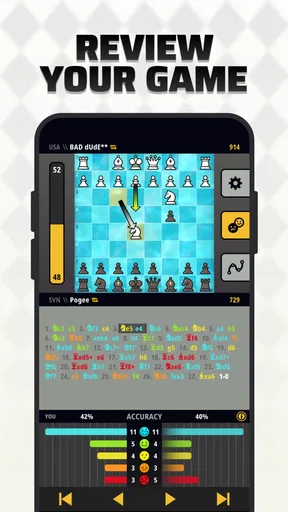
Additionally, the app tracks your progress, giving you a detailed breakdown of your games, which helps in identifying areas for improvement. It's like having a personal chess coach in your pocket!
Engaging Community
One of the standout features of Chess Universe is its community. The forums are buzzing with discussions ranging from game strategies to tournament announcements. Being part of this community gives players a sense of belonging and a platform to share their thoughts and learn from others.
There's also a leaderboard system that adds a competitive edge to the game. Seeing your name climb the ranks is a rewarding experience and pushes you to keep improving.
Visuals and Gameplay
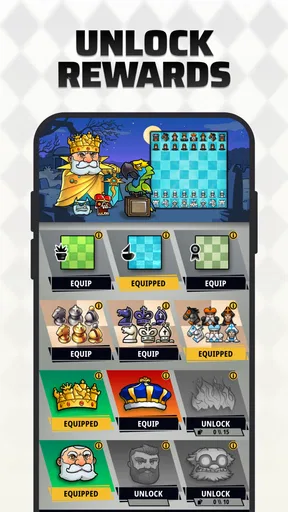
Visually, the app is stunning. The board and pieces are beautifully designed, with options to customize the look to your liking. The animations are smooth, and the overall aesthetic is pleasing to the eye, making the gameplay experience enjoyable.
Performance-wise, the app is reliable. I didn't encounter any lags or crashes, which is crucial for an online game. Everything runs smoothly, ensuring that your focus remains on the game itself.
Final Thoughts
In conclusion, Chess Universe: Play Online is a fantastic app for chess lovers of all levels. Its combination of online play, comprehensive learning tools, and a vibrant community makes it a must-have for anyone interested in chess. Whether you're looking to compete, learn, or simply enjoy a game of chess, this app has you covered.
If you're ready to challenge your mind and connect with chess enthusiasts from around the globe, give Chess Universe a try. It's a world of chess waiting to be explored.
Its place in a wider chess habit
Chess Universe is developed by Kings of Games! and belongs to the board-game side of mobile play, though its appeal reaches beyond a casual pastime. It has a 4.8 average from around 98,000 ratings and more than 10 million installs, which suggests it has found a sizable audience. Those figures are useful context, but they cannot tell me whether its lessons suit my learning style or whether I will enjoy its online community; those are personal-fit questions.
The release date is March 13, 2020, and the current version is 1.26.2. It requires Android 6.0 or later. I would check compatibility before installing on an older device, especially if I rely on it for regular games. Chess is a familiar, lightweight idea, but a smooth experience still depends on the app working comfortably on the phone I actually use.
One practical choice is whether to make the app a home for all my chess activity or simply a place to play online. If I already study from books or another training tool, I can use its games to practice without trying to replace that whole routine. If I am starting fresh, the lessons and puzzles offer a more approachable path than jumping straight into repeated matches. The best setup is the one that complements how I like to learn, not the one that makes me feel I must use every available section.
Keeping online play enjoyable
Online chess has a trade-off that a physical game does not: I depend on another person being available and willing to play at a compatible pace. Matchmaking can make finding an opponent easier, while a friend invitation works better when I want a familiar, social game. I would avoid starting a match at a moment when I know I may need to leave; a game deserves enough uninterrupted attention to be enjoyable for both players.
Chat can add warmth to a friend match, but I would not count on conversation as the main attraction. The board remains the point, and a quiet game is perfectly fine. For younger players, parents may want to talk through online contact and set sensible expectations before the child joins games or uses chat. That is a general consideration for social play, not a reason to assume every interaction will be a problem.
A further tip is to separate practice from performance. When I am trying to learn a new idea, I should not judge the session only by whether I win; I can instead notice whether I spotted a threat or followed through on a plan. When I want a competitive challenge, I can focus on the result. Keeping those aims distinct can make losses less discouraging and helps me choose the right kind of session for my mood.
When it may not be the right fit
I would skip this app if what I want is a completely offline, screen-free way to play or a simple digital board without lessons and social features. A physical set is better for face-to-face play, and a minimal chess program may suit someone who dislikes community elements or wants fewer distractions. Likewise, anyone who finds competitive games stressful may prefer to use the learning options selectively rather than make online ranking or match results the center of their experience.
The broader package is a strength only when I value that breadth. Community discussions and leaderboards can make chess feel more connected, but they can also pull attention away from quiet study. I would treat them as optional surroundings: useful when I want conversation or motivation, easy to ignore when the goal is simply to understand a position.
My lasting verdict is positive, with a clear condition: Chess Universe earns space on my phone if I want to alternate between lessons, puzzles, and games rather than use chess only once in a while. Its free entry makes trying that routine straightforward, while the optional purchases mean I would keep an eye on spending and buy only with a specific reason. If I return to it with a small goal and enough time to think, it has recurring value; if I only want an occasional board and no online activity, a simpler alternative is likely a better fit.
Pros
- Engaging tutorials for beginners.
- Smooth online multiplayer experience.
- Daily challenges enhance skills.
- Customizable avatars and boards.
- In-app chat for social interaction.
Cons
- Ads can be intrusive at times.
- Limited offline features available.
- Some features require in-app purchases.
- Occasional connectivity issues.
- Leaderboard can be slow to update.
FAQs for Chess Universe: Play Online
What features does Chess Universe: Play Online offer?
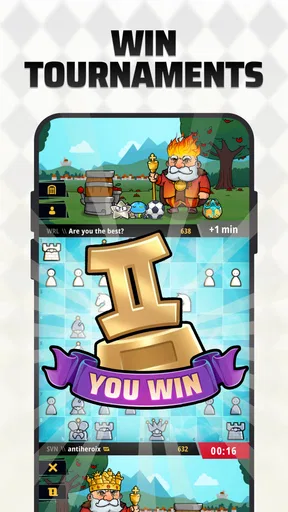
Chess Universe: Play Online offers a comprehensive suite of features for chess enthusiasts. The app provides online multiplayer games, AI opponents with varying difficulty levels, in-game chat, and customizable boards and pieces. Users can also participate in tournaments, access puzzles, and track their progress through detailed statistics.
Is Chess Universe: Play Online suitable for beginners?
Yes, Chess Universe: Play Online is designed to cater to players of all skill levels, including beginners. The app offers tutorials and practice modes to help new players learn the basics and improve their skills. Additionally, AI opponents can be adjusted to match the player's skill level, making it easier for beginners to enjoy the game.
Can I play Chess Universe: Play Online offline?
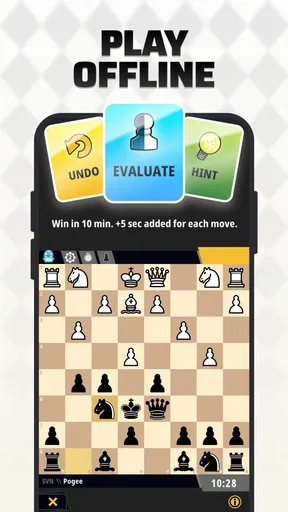
While Chess Universe: Play Online is primarily designed for online play, it does offer offline functionality. Players can compete against AI opponents without an internet connection, allowing them to practice and improve their skills anytime, anywhere. However, features like multiplayer and tournaments require an internet connection.
Are there any in-app purchases in Chess Universe: Play Online?
Yes, Chess Universe: Play Online includes in-app purchases. These allow players to buy premium features, such as exclusive boards, pieces, and access to advanced puzzles. While the app is free to download and play, purchasing these extras can enhance the gaming experience by providing additional customization and challenges.
How does Chess Universe: Play Online ensure fair play in online matches?
Chess Universe: Play Online employs several measures to ensure fair play. The app uses an anti-cheat system to detect and prevent cheating behaviors during online matches. Additionally, player reports and feedback are taken seriously to maintain a fair and competitive environment. Regular updates also help address any potential vulnerabilities.


